
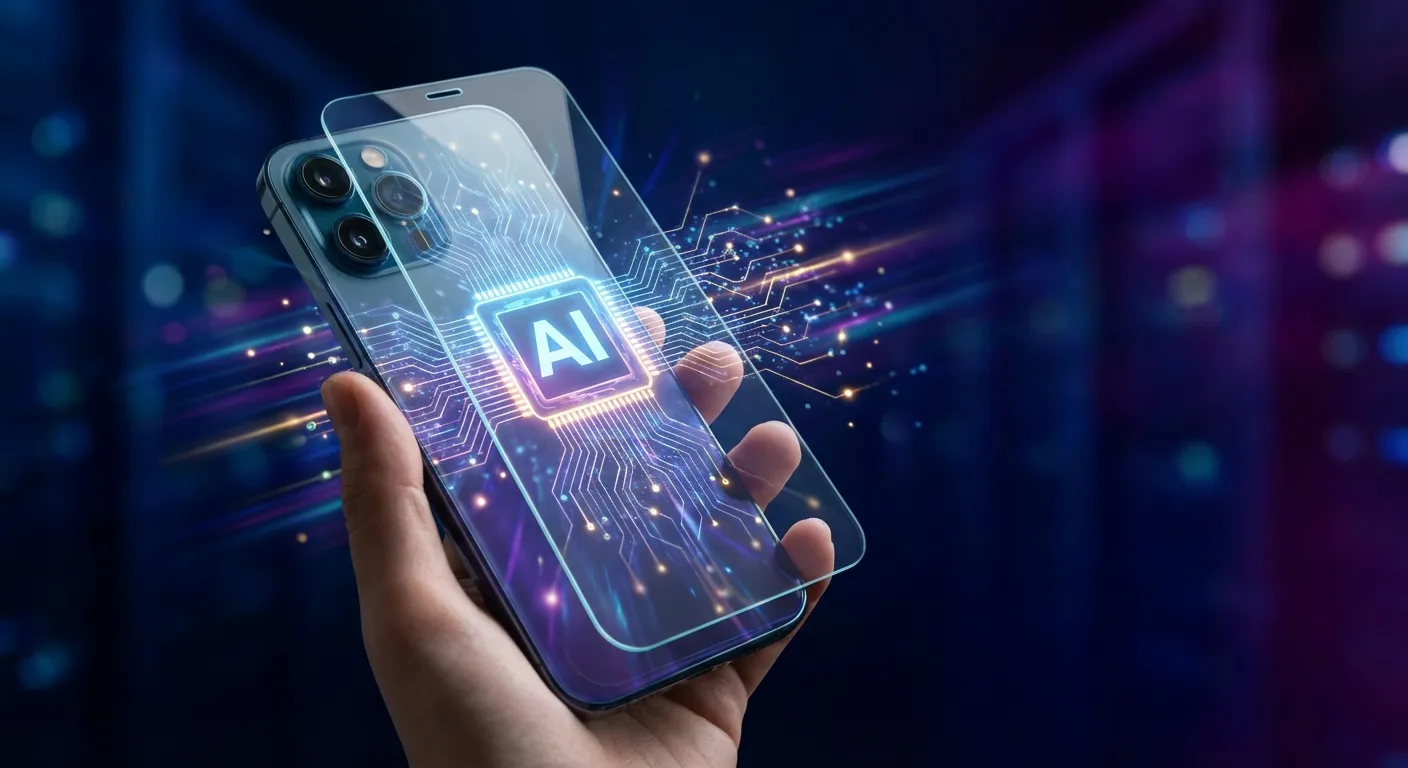
On-device AI (also called edge AI or local AI) refers to artificial intelligence that runs directly on your phone, laptop, or other device rather than sending your data to remote servers for processing. When you use on-device AI, the thinking happens in the chip inside your device, not in a data center somewhere else.
This matters for three main reasons: privacy (your data stays on your device), speed (no waiting for internet round-trips), and reliability (it works even when you're offline). As AI becomes embedded in more of our daily technology, where that processing happens is becoming an increasingly important distinction.
How It Differs from Cloud AI
Most AI tools you've probably used, like ChatGPT or Google's Gemini when accessed through a browser, run in the cloud. When you type a question, your query travels over the internet to massive servers, gets processed by powerful computers, and the response travels back to you. This happens quickly, but it requires an internet connection and means your data leaves your device.
On-device AI flips this model. The AI model itself lives on your device, stored in its memory and running on its processor. When you ask it something, the entire conversation stays on your phone or computer. Nothing gets sent anywhere.
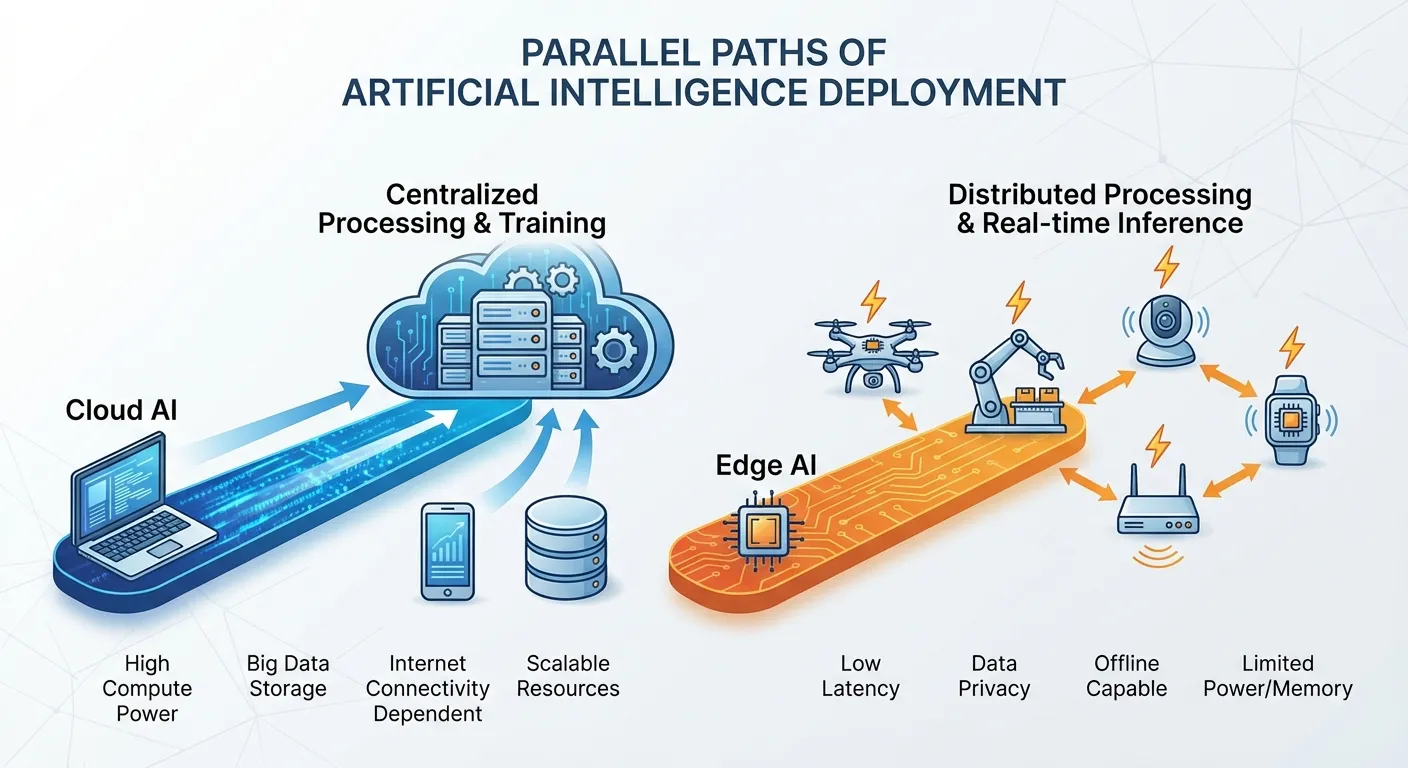
This isn't entirely new. Your phone has been doing some AI tasks locally for years, like Face ID or fingerprint recognition, autocorrect, and basic photo categorization. What's changing is the sophistication of on-device AI. Modern chips can now run the kind of generative AI that previously required cloud infrastructure.
Why Companies Are Investing in It
The push toward on-device AI has accelerated dramatically in 2025 and 2026, with major announcements from Apple, Google, Samsung, and others. Several factors are driving this shift.
Privacy concerns: Users are increasingly wary of their data being collected and processed remotely. On-device AI lets companies offer AI features without accessing user data, which is both a genuine privacy improvement and a marketing advantage.
Regulatory pressure: Data protection laws like GDPR in Europe and various state laws in the US create compliance challenges for cloud-based AI. Processing data locally sidesteps many of these concerns because the data never leaves the user's control.
Speed and reliability: Cloud AI depends on internet connectivity and server availability. On-device AI works instantly, even in airplane mode or areas with poor reception. For features that need to work in real-time, like live transcription or translation, this difference is significant.
Cost: Running AI in the cloud is expensive for companies. Every query to a large language model costs money in compute time. If the processing happens on the user's device, the company doesn't pay for it.
What On-Device AI Can Do Now
Current on-device AI capabilities include:
Text features: Summarizing articles or emails, rewriting text in different tones, generating suggestions, smart replies, and advanced autocomplete. Apple introduced Apple Intelligence with on-device language models, and Google's on-device Gemini Nano both offer these features.
Photo and video: Identifying objects in photos, removing backgrounds, enhancing images, searching photos by description ("show me photos from the beach"), and generating video previews or summaries.

Voice assistants: More sophisticated voice understanding and responses that don't require sending your voice to the cloud. Apple has been working on an upgraded Siri that runs more processing locally.
Real-time translation: Translating speech or text on the fly, useful for travel or reading foreign language content without an internet connection.
Accessibility: Features like live captions, sound recognition (doorbell, baby crying, smoke alarm), and visual descriptions of surroundings for users with disabilities.
The Limitations
On-device AI isn't replacing cloud AI entirely. There are real tradeoffs.
Model size: The most powerful AI models are too large to run on a phone. GPT-4, for example, would require more memory than any consumer device has. On-device AI uses smaller, more efficient models that are capable but less powerful than their cloud counterparts.
Hardware requirements: Running AI locally requires specialized chips (like Apple's Neural Engine or Google's Tensor processors). Older devices may not support these features at all, or may run them slowly.
Updates and improvements: Cloud AI can be updated instantly on the server side. On-device AI requires software updates that users must download and install.
Complex tasks: For sophisticated reasoning, creative generation, or tasks requiring access to current information, cloud AI often produces better results. On-device AI excels at specific, optimized tasks rather than open-ended conversations.
Most companies are adopting a hybrid approach: handle what you can on-device for speed and privacy, and send more complex requests to the cloud when needed (with user consent). For a broader look at how AI systems work beyond your device, see our explainer on what AI agents are and how they work.
What This Means for You
If you're buying a new phone, tablet, or laptop in 2026, on-device AI capabilities are increasingly part of the package. Here's what to consider:
Check the chip: AI performance depends heavily on the processor. According to Qualcomm, their Snapdragon processors with dedicated AI accelerators can run billions of operations per second on-device. Apple's A-series and M-series chips, Google's Tensor, and Qualcomm's Snapdragon chips all offer strong on-device AI. Budget devices may have limited capabilities.
Understand the privacy model: Even with on-device AI, read the fine print. Some features may still send anonymized data for improvement, or fall back to cloud processing for complex requests. Look for clear documentation on what stays local.
Storage matters: AI models take up space. If you're using advanced on-device AI features, you'll want adequate storage on your device.
For a broader understanding of how AI assistants work and how to get the most from them, our guide on how to use ChatGPT effectively covers practical tips for cloud-based AI tools, while our article on how to use AI tools at work explores the growing role of AI in professional settings.
Key Takeaways
On-device AI is shifting from a niche feature to a central selling point for phones, tablets, and laptops. While cloud AI still handles the most demanding tasks, the capabilities running locally on your own hardware are growing each product cycle. As you evaluate new technology purchases, understanding whether key AI features run on-device or in the cloud can help you make more informed decisions about both performance and how your personal data is handled.
Sources
- Apple Intelligence - Apple
- Gemini Nano: On-Device AI - Google DeepMind
- Snapdragon 8 Elite Mobile Platform - Qualcomm
- Galaxy AI - Samsung