

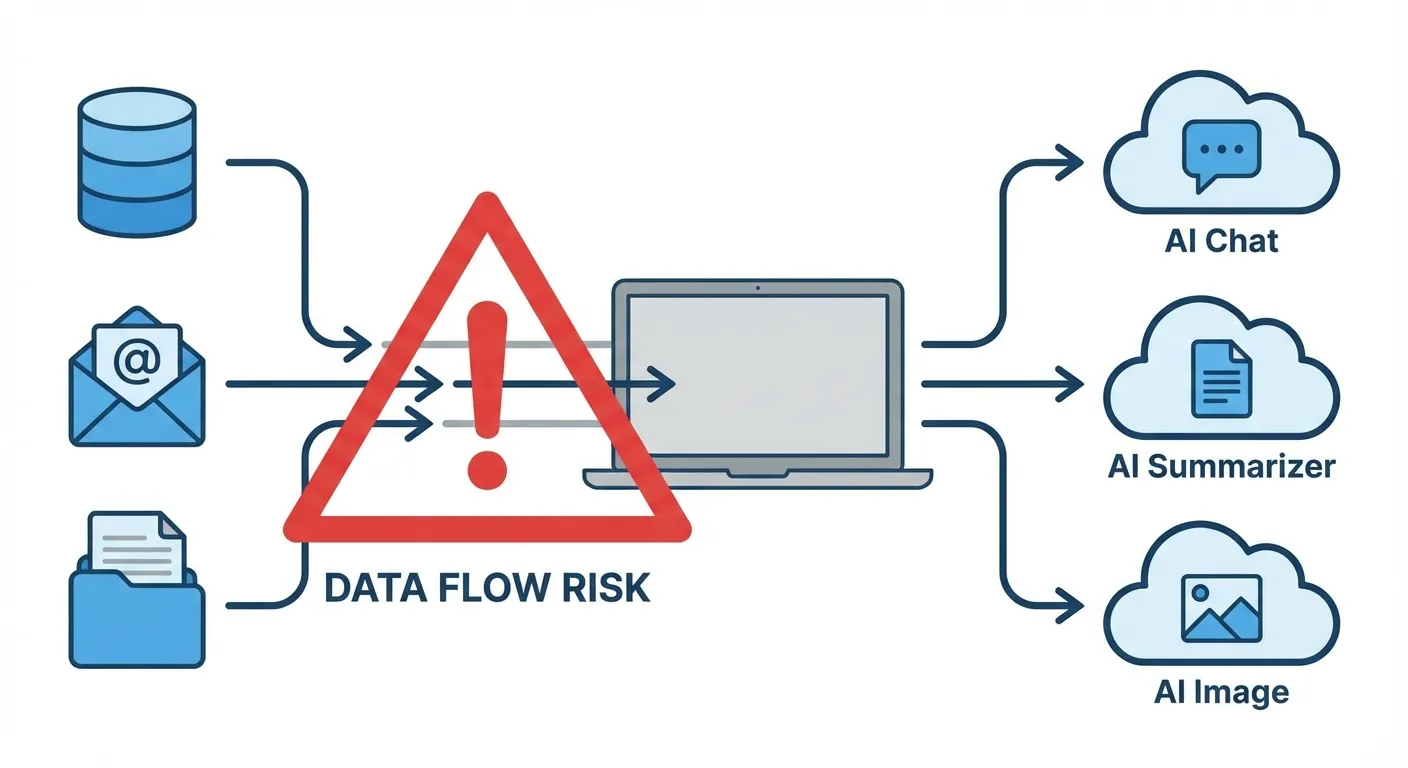
What is shadow AI? It's the use of artificial intelligence tools at work without your employer's knowledge or approval. Think of an employee pasting customer data into ChatGPT to write an email faster, using an AI summarizer on confidential meeting notes, or running financial projections through an unapproved AI tool. The "shadow" part means IT and security teams don't know it's happening, which means they can't control what data leaves the company.
This isn't a fringe problem. A 2025 UpGuard survey found that 49% of employees use AI tools not sanctioned by their employer for work tasks. BlackFog research puts it even starker: 60% of employees said they'd take security risks with AI tools to meet deadlines. And Gartner predicts that by 2030, more than 40% of enterprises will experience a security or compliance incident directly tied to unauthorized AI use. If you're using AI at work, even casually, understanding shadow AI matters for both your company and your career.
Why Employees Turn to Unauthorized AI
The motivation is rarely malicious. Most shadow AI usage comes from people trying to work faster or solve problems that their company's approved tools don't handle well.
A marketing manager needs to summarize 50 pages of research into a brief. The company doesn't provide an AI tool for this, but ChatGPT does it in seconds. A developer pastes error logs into an AI assistant to debug code faster. A salesperson uses an AI email generator to personalize outreach at scale. Each person is trying to be more productive, and each one is potentially exposing company data to external systems.
The gap between what employees need and what IT departments provide drives the behavior. According to research from ISACA, 86% of workers use AI tools at least weekly for work-related tasks, but many organizations haven't established formal AI policies or provided approved alternatives. When the official toolset falls short, employees find their own solutions.
The Real Risks Behind Shadow AI
The consequences go beyond a policy violation. When employees feed company information into external AI tools, that data may be stored, used for model training, or exposed through security vulnerabilities.
Data leakage is the primary concern. When you paste proprietary code, financial figures, customer lists, or strategic plans into an AI chatbot, you're sending that data to an external server. Depending on the tool's terms of service, that data might be retained, used to improve the model, or accessible to the tool's employees. Samsung learned this the hard way in 2023 when engineers inadvertently leaked proprietary source code through ChatGPT, leading the company to ban the tool entirely.
Compliance violations carry real penalties. Companies in healthcare, finance, and government face strict regulations about how data is handled. HIPAA, GDPR, SOX, and other frameworks require organizations to know where sensitive data goes. Shadow AI makes that impossible because IT can't audit tools they don't know exist. For government employees specifically, using unauthorized AI tools could violate open records laws and national security protocols.
Accuracy and liability issues compound the problem. AI tools hallucinate, meaning they generate plausible-sounding but incorrect information. If an employee uses an unapproved AI tool to draft a legal document, financial analysis, or medical recommendation without proper review, the company bears liability for errors it didn't know were AI-generated.
"Organizations need to understand that shadow AI isn't just an IT problem," said Greg Pollock, VP of cybersecurity research at UpGuard. "It's a governance problem that touches legal, compliance, HR, and every business unit."
How to Know If You're Using Shadow AI
If you're unsure whether your AI usage qualifies as shadow AI, ask yourself these questions:
Did your IT department approve this tool? If your company has an approved AI tools list and the tool you're using isn't on it, that's shadow AI. If your company has no AI policy at all, any AI tool you use for work technically operates in a gray area.
Are you inputting company data? Using AI for personal tasks on your work computer is one thing. Pasting company emails, customer data, financial information, or proprietary documents into an AI tool is a different risk category entirely.
Would your manager or IT team be surprised? This is the simplest test. If you wouldn't mention your AI usage in a meeting, that's a sign it may fall outside acceptable use.
For a broader understanding of how AI tools are designed to work in business settings versus personal use, our guide on how to use AI tools at work covers the basics of responsible workplace AI adoption.

What Companies Are Doing About It
Organizations are responding with a mix of policy, technology, and cultural change. The most effective approaches don't ban AI outright (that tends to push usage further underground) but instead channel it into approved, monitored systems.
Creating approved AI tool lists. Companies like JPMorgan, Apple, and Verizon have deployed enterprise versions of AI tools with guardrails that prevent sensitive data from being used for model training. Enterprise versions of ChatGPT, Microsoft Copilot, and Google Gemini for Workspace offer data protection agreements that consumer versions don't.
Implementing detection systems. Network monitoring tools can flag when employees access AI platforms. Palo Alto Networks and other security vendors now offer shadow AI detection as part of their enterprise security suites, identifying unauthorized AI tool usage in real time.
Building AI governance frameworks. Companies are appointing AI governance committees and creating acceptable use policies that define which tools are approved, what data can be shared, and what review processes apply to AI-generated work.
What You Should Do as an Employee
Whether your company has an AI policy or not, protecting yourself is straightforward.
Check your company's AI policy. If one exists, read it. If it doesn't exist, ask HR or IT about guidelines. The absence of a policy doesn't mean approval, and being the person who caused a data breach because "nobody said I couldn't" is not a position you want to be in.
Never paste sensitive data into consumer AI tools. This includes customer information, financial data, proprietary code, legal documents, and anything covered by NDA or regulation. If you need AI help with sensitive material, request an enterprise AI solution from your IT department.
Advocate for approved tools. If you find AI genuinely helpful for your work, that's valuable feedback for your organization. Request that IT evaluate and approve the tools you need rather than using them in secret. You'll get the productivity benefits without the career risk.
Understanding what AI agents are and how they differ from simple chatbots can also help you evaluate which tools are appropriate for different work tasks.
Key Takeaways
Shadow AI is the unauthorized use of AI tools in the workplace, and it's far more widespread than most organizations realize. Nearly half of employees use unsanctioned AI tools at work, driven by productivity needs that outpace official IT solutions. The risks are real: data leakage, compliance violations, and liability for AI-generated errors. Protect yourself by checking your company's AI policy, never pasting sensitive data into consumer AI tools, and advocating for approved enterprise alternatives. If your company doesn't have an AI policy yet, that's a conversation worth starting.
Sources
- Shadow AI Is Widespread, and Executives Use It the Most - Cybersecurity Dive
- Shadow AI Threat Grows Inside Enterprises - BlackFog Research
- The Rise of Shadow AI: Auditing Unauthorized AI Tools in the Enterprise - ISACA
- Shadow AI: Risks, Challenges, and Solutions in 2026 - Invicti